Build a RAG application with seekdb
This tutorial shows you how to import Markdown documents into seekdb, build a hybrid-retrieval knowledge base with the SDK, and launch a Streamlit-based RAG interface.
Prerequisites
-
Embedded seekdb is installed. For details, see Embedded mode.
-
Python 3.11 or later is installed.
-
uvis installed. If you do not have it yet, install it with one of the following commands:curl -LsSf https://astral.sh/uv/install.sh | sh
# Or install via pip
pip install uv
Step 1: Obtain the LLM API key
In this tutorial, Alibaba Cloud Bailian is used as an example. You can use any provider that fits your requirements (for example, any OpenAI-compatible API service).
Enabling the Qwen service on Alibaba Cloud is done through a third-party platform and is subject to that platform's billing rules. It may incur charges. Before proceeding, review the official documentation and pricing, and continue only if you accept the terms.
Create an Alibaba Cloud Bailian account, enable the model service, and copy your API key.
Step 2: Clone the repo
git clone https://github.com/oceanbase/pyseekdb.git
Step 3: Install dependencies
-
Go to the
pyseekdb/demo/ragdirectory:cd pyseekdb/demo/rag -
Install dependencies:
-
For
defaultorapiembedding types:uv sync -
For
localembedding type:uv sync --extra local
info-
The
localextra installssentence-transformersand related dependencies (roughly 2–3 GB). -
If you are in mainland China, you can use a domestic mirror to speed up downloads:
- Basic install (TUNA):
uv sync --index-url https://pypi.tuna.tsinghua.edu.cn/simple - Basic install (Aliyun):
uv sync --index-url https://mirrors.aliyun.com/pypi/simple - Local model (TUNA):
uv sync --extra local --index-url https://pypi.tuna.tsinghua.edu.cn/simple - Local model (Aliyun):
uv sync --extra local --index-url https://mirrors.aliyun.com/pypi/simple
- Basic install (TUNA):
-
Step 4: Set environment variables
-
Copy the environment file template:
cp .env.example .env -
Edit
.envand choose an embedding function type:seekdb supports three embedding function types:
-
default(recommended to get started)- Uses pyseekdb's built-in
DefaultEmbeddingFunction(ONNX-based). - Downloads the model automatically on first use; no embedding API key required.
- Best for local development and testing.
- Uses pyseekdb's built-in
-
local(local model)- Uses a custom
sentence-transformersmodel. - Requires installing the
sentence-transformersextra. - You can configure the model name and device (CPU/GPU).
- Uses a custom
-
api(API service)- Uses an OpenAI-compatible embedding API (for example, DashScope or OpenAI).
- Requires an embedding API key and model name.
- Typically used in production.
-
Example configuration using Qwen (with EMBEDDING_FUNCTION_TYPE=api):
# Embedding function type: api, local, default
EMBEDDING_FUNCTION_TYPE=api

# LLM configuration (used to generate answers)
OPENAI_API_KEY=sk-your-dashscope-key
OPENAI_BASE_URL=https://dashscope.aliyuncs.com/compatible-mode/v1
OPENAI_MODEL_NAME=qwen-plus

# Embedding API configuration (required only when EMBEDDING_FUNCTION_TYPE=api)
EMBEDDING_API_KEY=sk-your-dashscope-key
EMBEDDING_BASE_URL=https://dashscope.aliyuncs.com/compatible-mode/v1
EMBEDDING_MODEL_NAME=text-embedding-v4

# Local model configuration (required only when EMBEDDING_FUNCTION_TYPE=local)
SENTENCE_TRANSFORMERS_MODEL_NAME=all-mpnet-base-v2
SENTENCE_TRANSFORMERS_DEVICE=cpu

# seekdb configuration
SEEKDB_DIR=./data/seekdb_rag
SEEKDB_NAME=test
COLLECTION_NAME=embeddings
Parameter reference:
| Parameter | Description | Default / Example | Required |
|---|---|---|---|
| EMBEDDING_FUNCTION_TYPE | Embedding function type | default (optional: api, local, default) | Required |
| OPENAI_API_KEY | LLM API key (supports OpenAI, Qwen, and other compatible services) | - | Required (for generating answers) |
| OPENAI_BASE_URL | LLM API base URL | https://dashscope.aliyuncs.com/compatible-mode/v1 | Optional |
| OPENAI_MODEL_NAME | Language model name | qwen-plus | Optional |
| EMBEDDING_API_KEY | Embedding API key | - | Required when EMBEDDING_FUNCTION_TYPE=api |
| EMBEDDING_BASE_URL | Embedding API base URL | https://dashscope.aliyuncs.com/compatible-mode/v1 | Required when EMBEDDING_FUNCTION_TYPE=api |
| EMBEDDING_MODEL_NAME | Embedding model name | text-embedding-v4 | Required when EMBEDDING_FUNCTION_TYPE=api |
| SENTENCE_TRANSFORMERS_MODEL_NAME | Local model name | all-mpnet-base-v2 | Required when EMBEDDING_FUNCTION_TYPE=local |
| SENTENCE_TRANSFORMERS_DEVICE | Device for running the model | cpu | Required when EMBEDDING_FUNCTION_TYPE=local |
| SEEKDB_DIR | seekdb database directory | ./data/seekdb_rag | Optional |
| SEEKDB_NAME | Database name | test | Optional |
| COLLECTION_NAME | Embedding table name | embeddings | Optional |
- If you use
default, configureEMBEDDING_FUNCTION_TYPE=defaultand the LLM-related parameters only. - If you use
api, you must also configure the embedding API variables. - If you use
local, install thesentence-transformersextra and configure the local model variables.
Step 5: Import documents
This tutorial uses the pyseekdb SDK documentation as sample data. You can also import your own Markdown files or an entire directory.
Run the import script:
# Import a single file
uv run python seekdb_insert.py ../../README.md

# Or import all Markdown files in a directory
uv run python seekdb_insert.py path/to/your_dir
What happens during import:
- The script reads the specified Markdown file, or all Markdown files in the target directory.
- It splits documents into chunks by heading (using
#as the delimiter). - It selects an embedding function based on
EMBEDDING_FUNCTION_TYPEin.env:default: Uses pyseekdb's built-inDefaultEmbeddingFunction(downloads the model on first use).local: Uses a customsentence-transformersmodel.api: Uses the configured embedding API service.
- It generates embeddings for each chunk and stores them in seekdb.
- It automatically skips failed chunks to keep batch processing resilient.
Step 6: Run the RAG app
Start the Streamlit app:
uv run streamlit run seekdb_app.py
You should see output similar to the following:
You can now view your Streamlit app in your browser.

Local URL: http://localhost:8501
Network URL: http://xxx.xxx.xxx.19:8501
External URL: http://xxx.xxx.xxx.143:8501
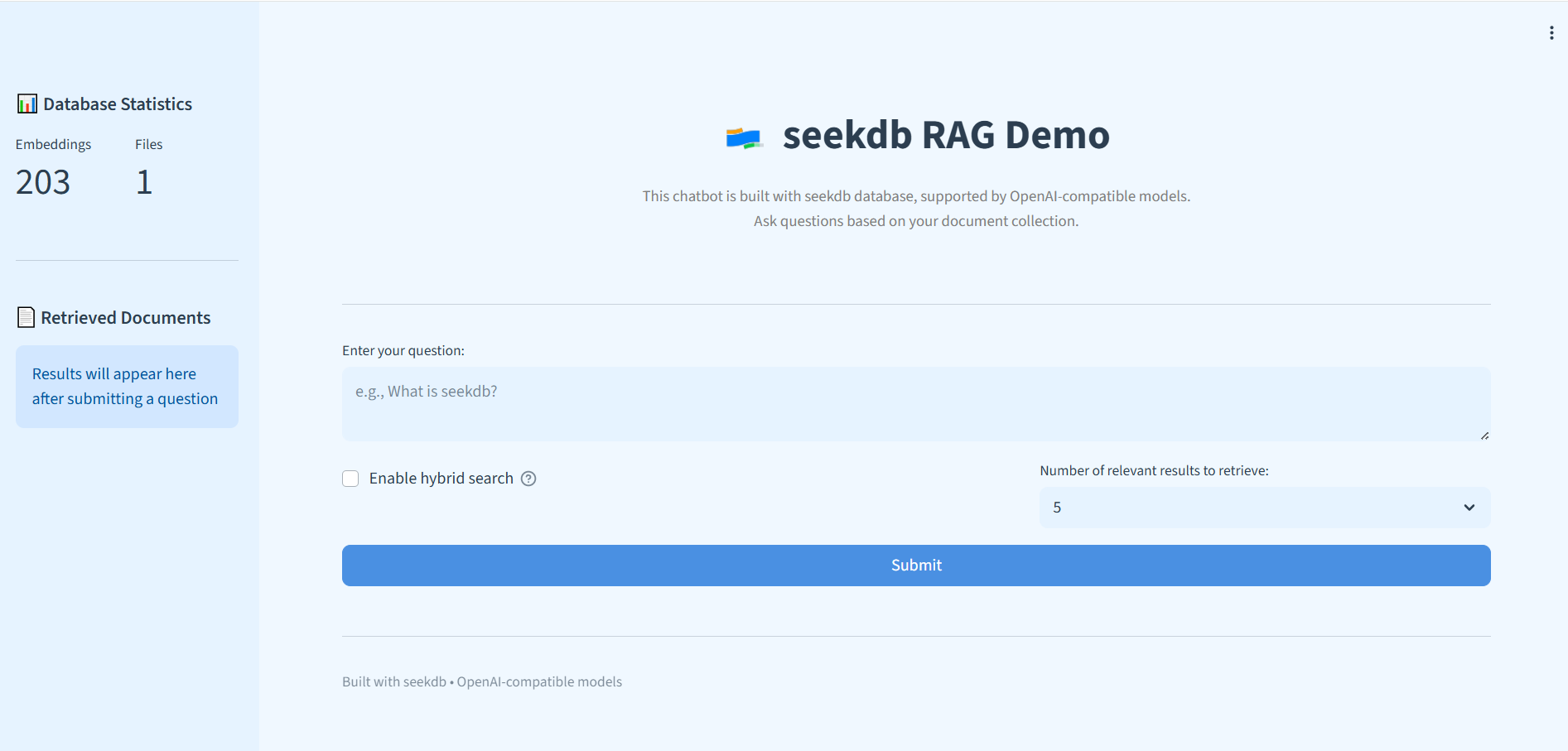
Once the app is running, open the URL in your browser to access the RAG interface and query your imported documents.
If you manage dependencies with uv, prefix commands with uv run to ensure you are using the correct environment and installed packages.