TRAE
TRAE is an IDE that supports MCP Server integration. You can download the latest version from the official website.
This topic describes how to integrate TRAE with seekdb Agent Skills to get AI-invokable knowledge packs and workflows, and how to integrate TRAE with seekdb MCP Server to build backend applications quickly.
- seekdb Agent Skill with TRAE
- seekdb MCP Server with TRAE
Agent Skills is an AI capability extension format led by Anthropic and released as an open standard. The idea is to package instructions, scripts, and resources into a folder that AI agents can discover and load as "skills" to complete tasks more accurately and efficiently.
seekdb Agent Skills are knowledge packs and workflows that AI can invoke automatically, built on that standard. After you install them in TRAE, when you ask seekdb-related questions, TRAE's AI will use the skill instructions to look up seekdb docs or run data import/export and similar operations—no need to memorize commands or copy from docs. For more about Agent Skills, see seekdb Agent Skills.
Supported skills
| Skill | Description | Example questions |
|---|---|---|
| seekdb (default) | Covers official seekdb docs (getting started, development guides, SDK/API, multi-modal data, integration and operations). The AI finds the right doc for your question and answers with examples. | How do I deploy seekdb? / How does vector search work in seekdb? |
| importing-to-seekdb | Import data into seekdb collections and optionally vectorize specified columns. You can preview Excel/CSV structure and sample data before importing. | Import sample_products.xlsx into seekdb and vectorize the Details column. |
| querying-from-seekdb | Filter by metadata for scalar search; full-text + semantic hybrid search with RRF ranking; export results to CSV or Excel. | Recommend 2 phones with rating ≥ 4.3 and AMOLED display. |
Install seekdb Agent Skills in TRAE
TRAE loads Agent Skills from the .trae/skills directory in your project root. Install as follows:
-
Go to the project root where you want to install the skills.
cd /path/to/your/project -
Install the installer package.
pip install seekdb-agent-skills -
Run the interactive installer.
seekdb-agent-skills -
Select the tool.
Use ↑/↓ to choose Trae, then Enter to confirm.
🚀 seekdb Agent Skills Installer
==================================================

📋 Select tool to install to:
? Select one tool (use ↑↓ to navigate, Enter to confirm, Ctrl+C to cancel): (Use arrow keys)
  Claude Code
  OpenClaw
  Cursor
  Codex
  OpenCode
  GitHub Copilot
  Qoder
» Trae -
Confirm the install location.
📁 Project root: /path/to/your/project
(Skills will be installed under .trae/skills)
? Install skills to this directory? (Y/n)
Enter Y to continue or n to exit.
-
Select skills to install.
If you only need the AI to reference seekdb docs, press Enter to accept the default. To import/export Excel or CSV from seekdb, also select importing-to-seekdb and querying-from-seekdb. Use ↑/↓ to move, Space to toggle multiple, Enter to confirm.
📦 Select skills to install:
? Select skills (use ↑↓ to navigate, Space to select, Enter to confirm, Ctrl+C to cancel): (Select multiple with Space)
» ● seekdb
  ○ importing-to-seekdb
  ○ querying-from-seekdb
Use seekdb Agent Skills in TRAE
After installation, open the project root (where skills are installed) in TRAE and ask questions in the chat. The AI will call the right skill and answer using the docs or skill capabilities.
Example prompts:
- How do I deploy seekdb on Mac?
- How does vector search work in seekdb?
- How do I do hybrid search in seekdb?
MCP (Model Context Protocol) is an open-source protocol launched by Anthropic in November 2024. It enables large language models to interact with external tools or data sources. With MCP, the model can instruct tools to perform actions directly instead of users copying and executing the model's output.
seekdb MCP Server uses MCP to let models interact with seekdb and run SQL. It is open-source on GitHub and works with a suitable client to build project prototypes quickly.
Prerequisites
-
You have deployed seekdb.
-
You have installed Python 3.11 or later and the corresponding pip. If your system has a low Python version, you can use Miniconda to create a new Python 3.11 or later environment. For more information, see Install Miniconda.
-
You have installed uv, a Python package manager. After the installation, run the
uv --versioncommand to check whether the installation was successful:pip install uv
uv --version -
You have downloaded TRAE and installed the version that matches your operating system.
Step 1: Obtain the database connection information
Contact your seekdb deployment engineer or administrator to obtain the database connection string. For example:
mysql -h$host -P$port -u$user_name -p$password -D$database_name
Parameters:
-
$host: The IP address for connecting to seekdb. -
$port: The port number for connecting to seekdb. Default is2881. -
$database_name: The name of the database to access.tipThe connected user must have
CREATE,INSERT,DROP, andSELECTprivileges on the database. -
$user_name: The username for connecting to the database. -
$password: The password for the account.
Step 2: Configure the seekdb MCP Server
Install the seekdb MCP Server
Run the following command to install the seekdb MCP Server:
pip install seekdb-mcp-server
Configure the seekdb server environment variables in the .env file
Create a file named .env in the current directory and add the following content:
vi .env

SEEKDB_HOST=localhost      # Database host
SEEKDB_PORT=2881           # Database port (default: 2881)
SEEKDB_USER=your_username
SEEKDB_PASSWORD=your_password
SEEKDB_DATABASE=your_database
Start in SSE mode
env $(cat .env | xargs) uvx seekdb-mcp-server --transport sse --port 8000 --host 0.0.0.0
Create a working directory for the TRAE client and configure the seekdb MCP Server
Manually create a working directory for TRAE and open it. TRAE will generate files in this directory. The example directory name is trae-generate.
Press Ctrl + U (Windows) or Command + U (MacOS) to open the chat box. Click the gear icon in the upper-right corner and select MCP.
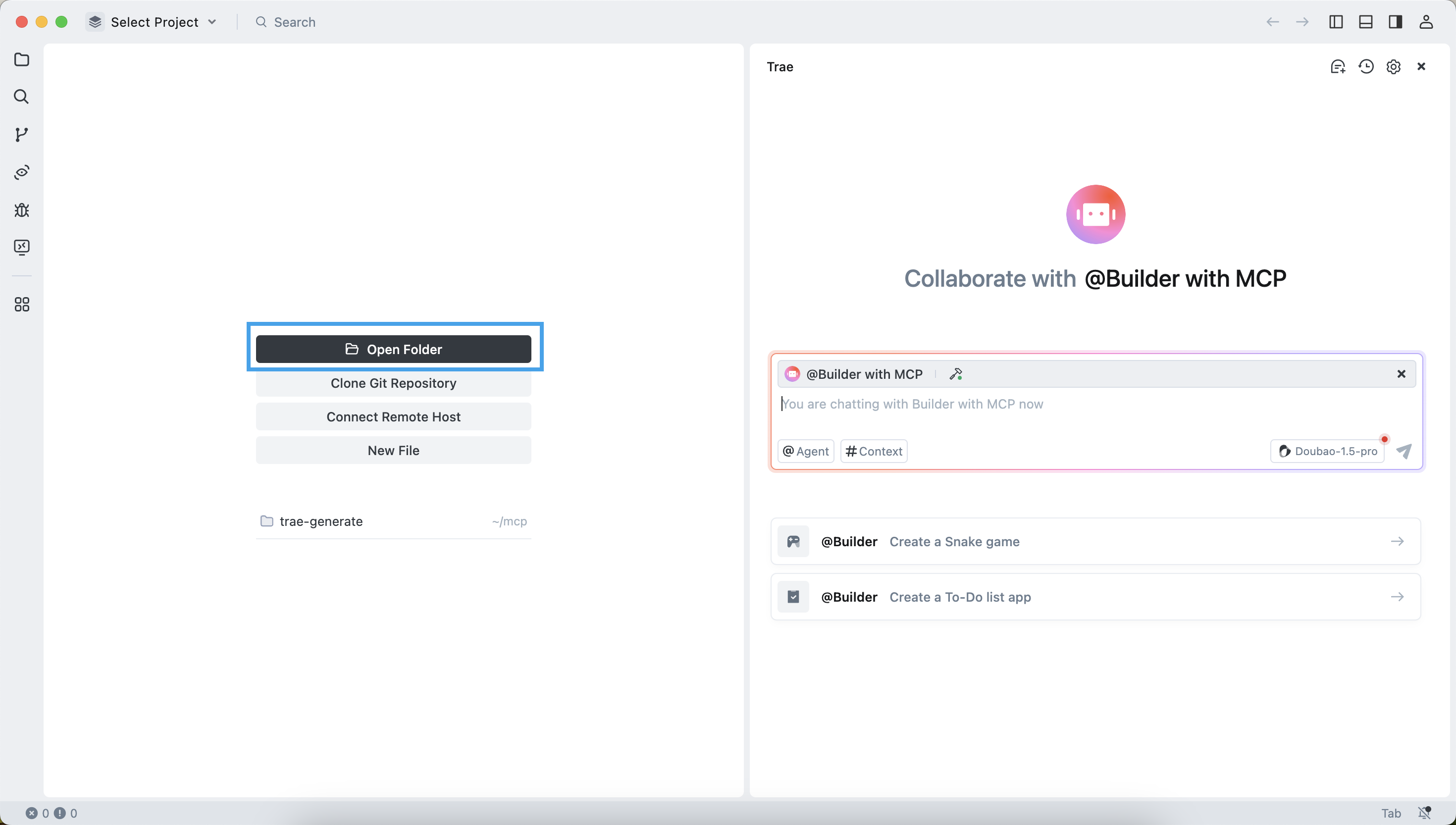
Configure the seekdb MCP Server
-
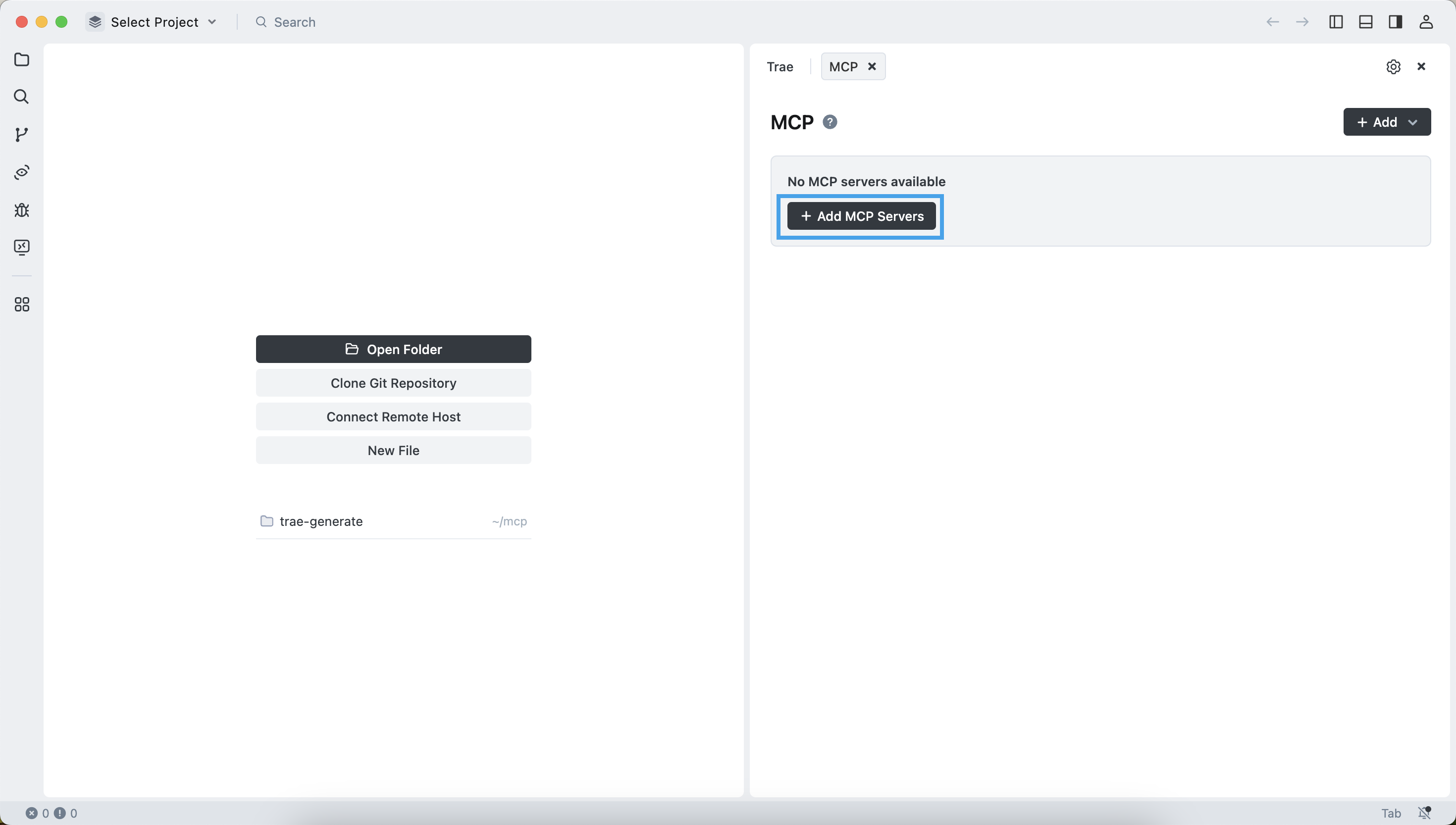
Click Add Custom MCP and fill in the configuration file.
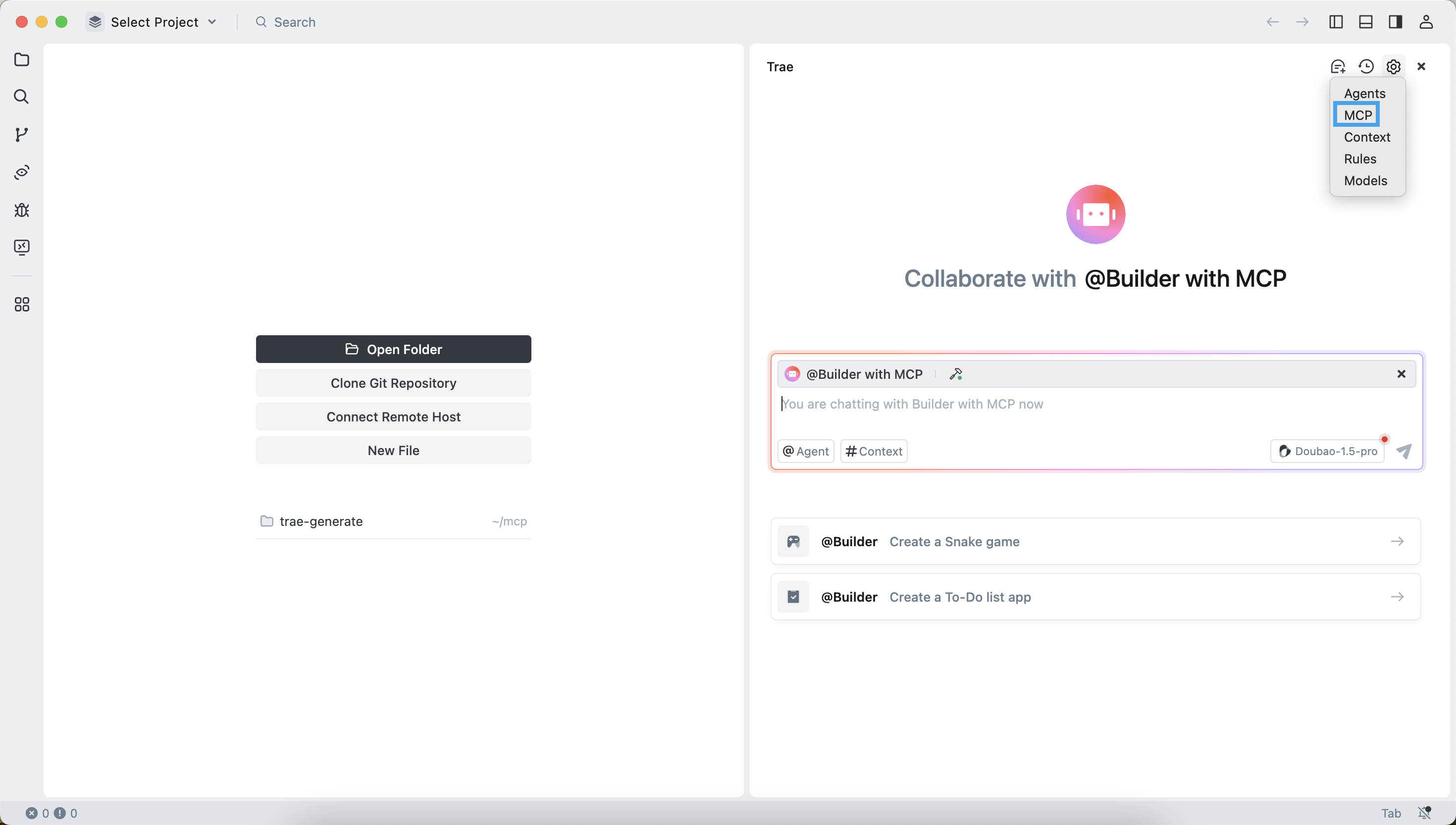
-
Fill in the configuration file and click OK.
{
"mcpServers": {
    "sse-seekdb": {
    "autoApprove": [],
    "disabled": false,
    "timeout": 60,
    "type": "sse",
    "url": "http://ip:port/sse"
    }
}
} -
The configuration is successful.
Test the MCP server
-
Select the Builder with MCP agent.
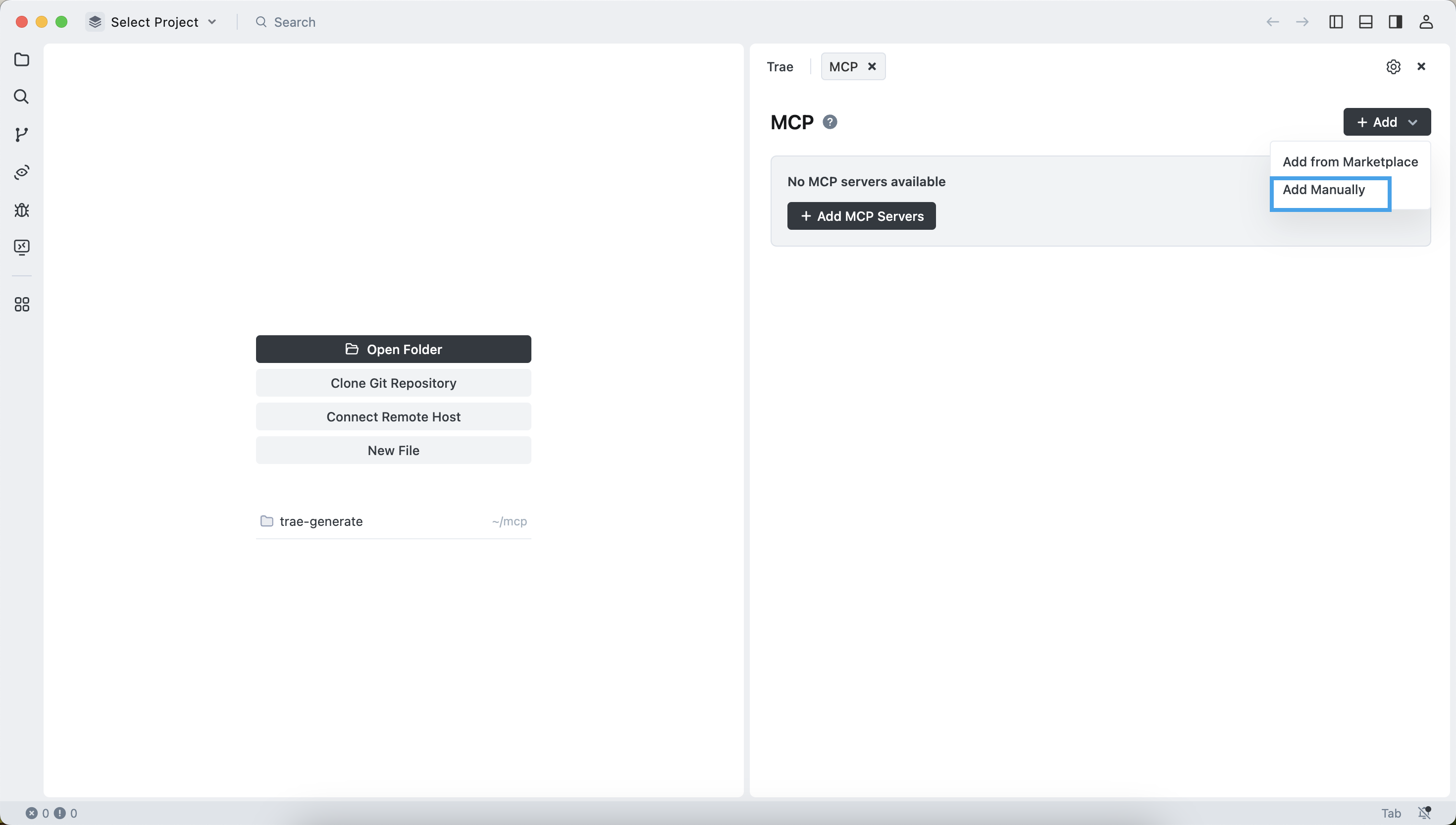
-
In the dialog box, enter
How many tables in the test database?. The TRAE client will execute the command and display the names of all tables in thetestdatabase. This indicates that you have successfully connected to seekdb.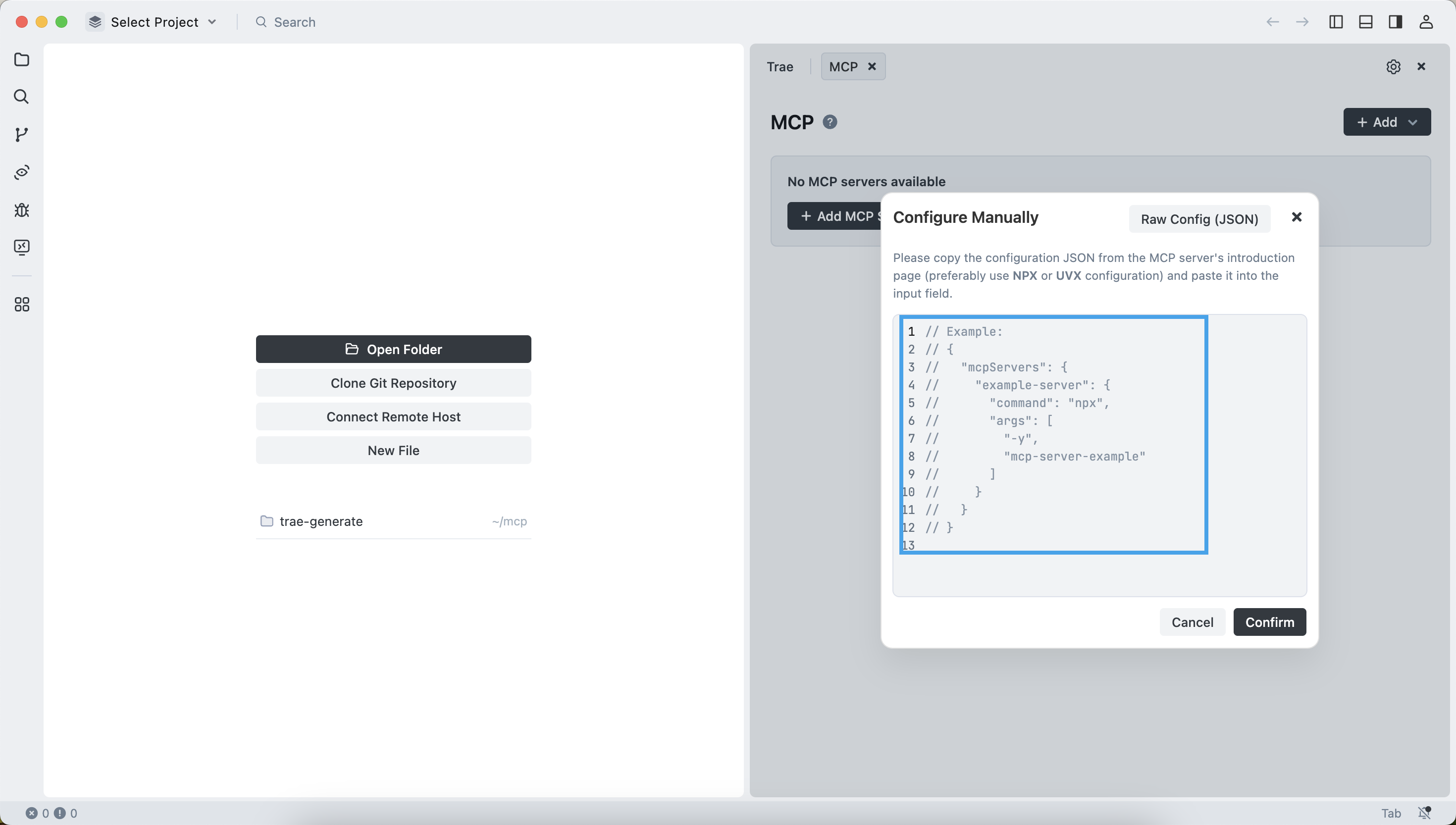
Create a RESTful API project using FastAPI
You can use FastAPI to quickly create a RESTful API project. FastAPI is a Python web framework that enables you to build RESTful APIs efficiently.
-
Create the customer table.
In the dialog box, enter
Create a "customer" table with "ID" as the primary key and containing fields such as "name", "age", "telephone", and "location". Confirm the SQL statement and click theAcceptbutton.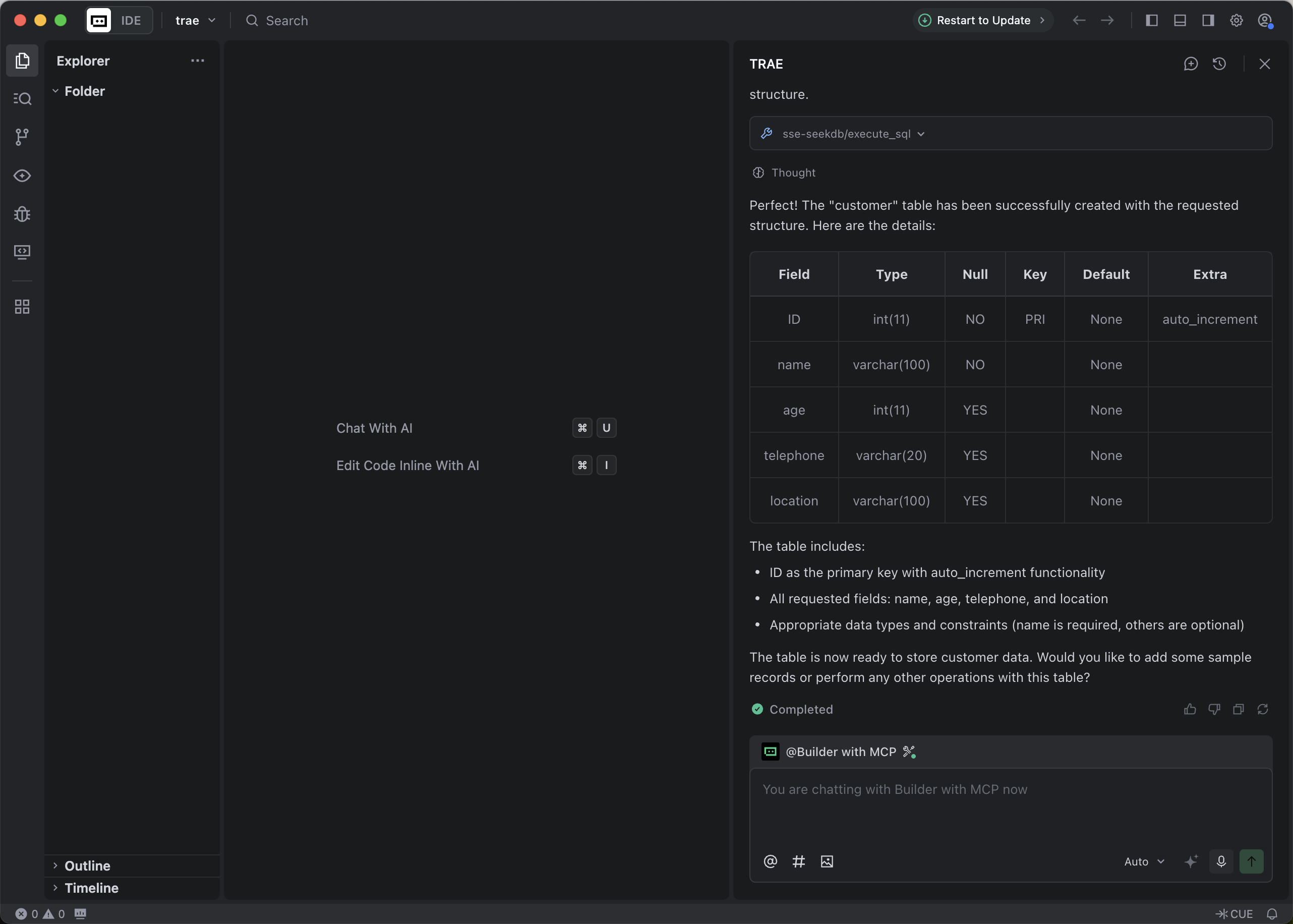
-
Insert test data.
In the dialog box, enter
Insert 10 pieces of data into the customer table.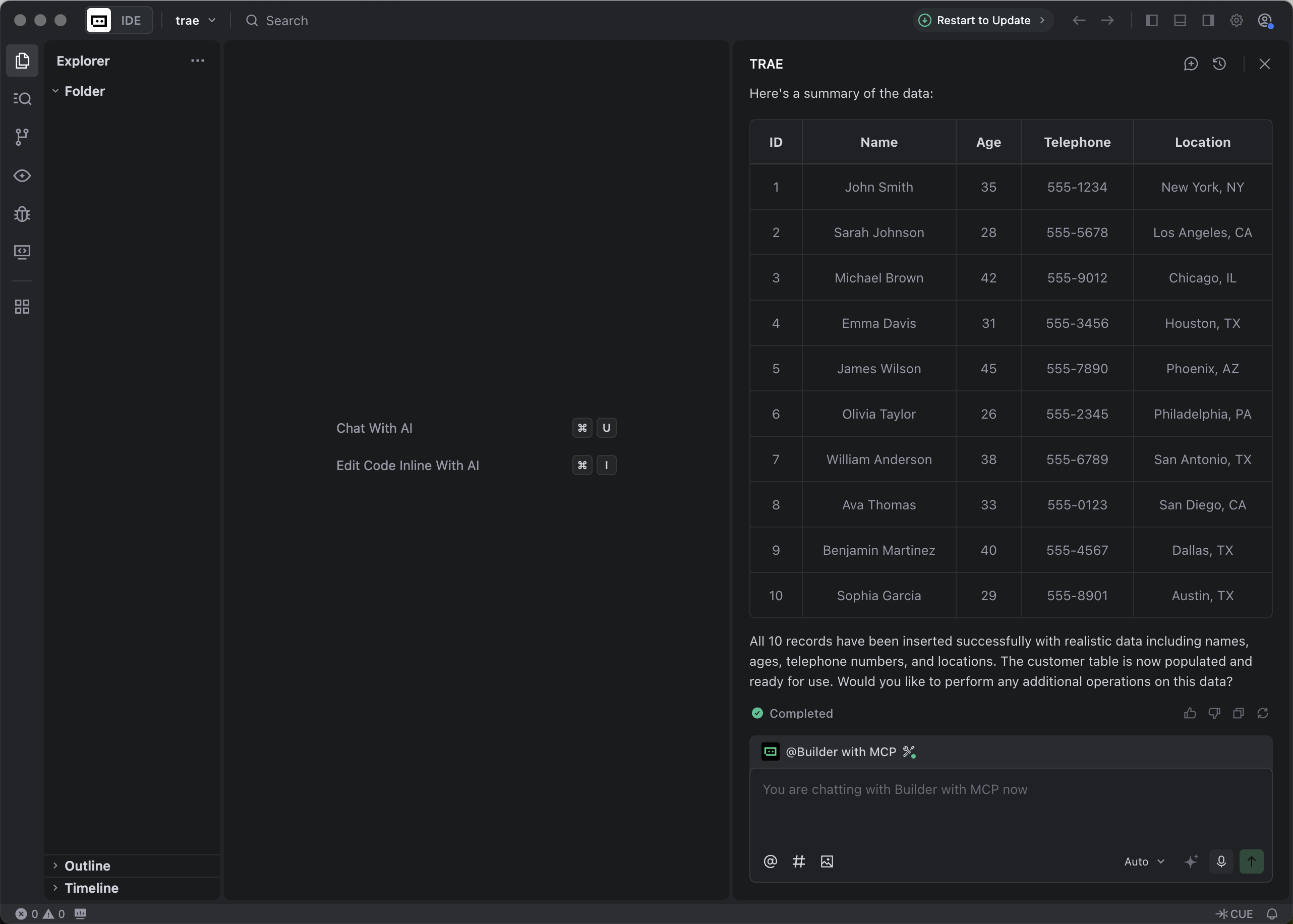
-
Create a FastAPI project.
In the dialog box, enter
Create a FastAPI project on the customer table.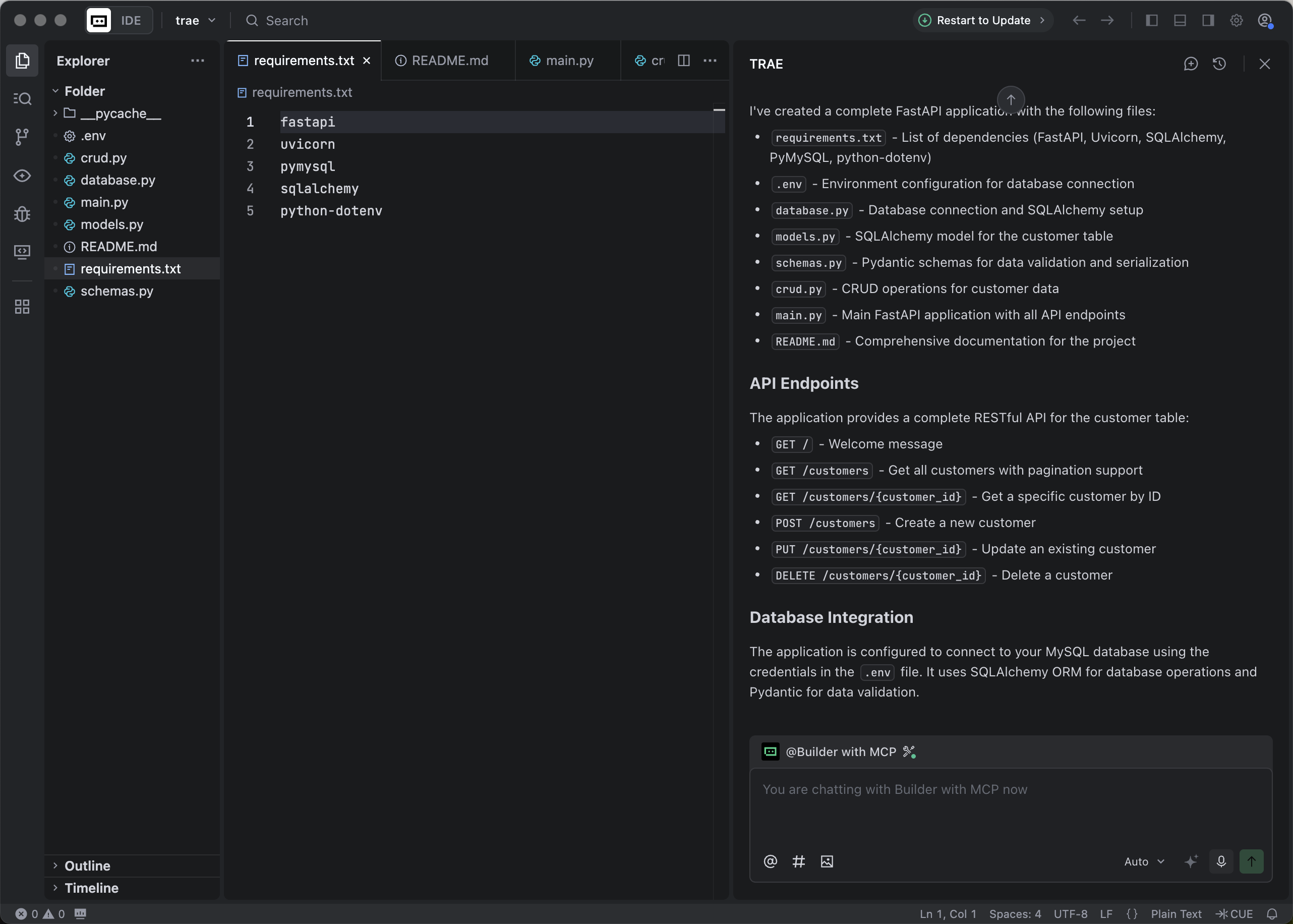
This step will generate multiple files. We recommend that you select
Accept Allfor the first use, because the files generated by AI may contain uncertain contents. You can adjust them based on your actual needs later. -
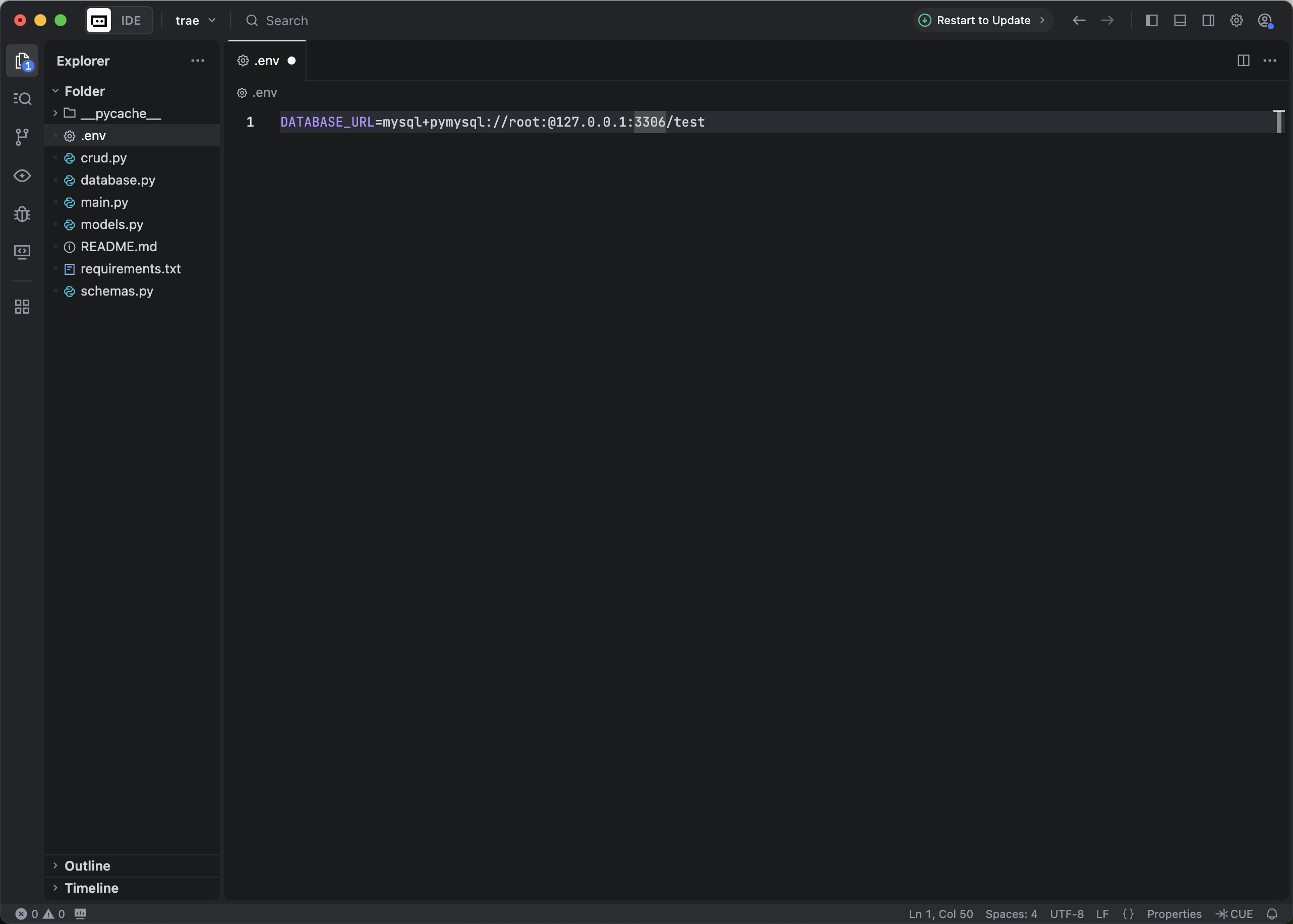
FastAPI project configuration database connection information
-
Install project dependencies
Execute the following command to install the project dependencies:
pip install -r requirements.txt -
Start the FastAPI project.
Run the following command to start the FastAPI project:
source .env
uvicorn main:app --reload -
View the data in the table.
Run the following command in the command line or use other request tools to view the data in the table:
curl http://127.0.0.1:8000/customersThe return result is as follows:
[{"name":"John Smith","age":35,"telephone":"555-1234","location":"New York, NY","ID":1},{"name":"Sarah Johnson","age":28,"telephone":"555-5678","location":"Los Angeles, CA","ID":2},{"name":"Michael Brown","age":42,"telephone":"555-9012","location":"Chicago, IL","ID":3},{"name":"Emma Davis","age":31,"telephone":"555-3456","location":"Houston, TX","ID":4},{"name":"James Wilson","age":45,"telephone":"555-7890","location":"Phoenix, AZ","ID":5},{"name":"Olivia Taylor","age":26,"telephone":"555-2345","location":"Philadelphia, PA","ID":6},{"name":"William Anderson","age":38,"telephone":"555-6789","location":"San Antonio, TX","ID":7},{"name":"Ava Thomas","age":33,"telephone":"555-0123","location":"San Diego, CA","ID":8},{"name":"Benjamin Martinez","age":40,"telephone":"555-4567","location":"Dallas, TX","ID":9},{"name":"Sophia Garcia","age":29,"telephone":"555-8901","location":"Austin, TX","ID":10}]